/Tournaments · registrationTournaments 3 min
register your team
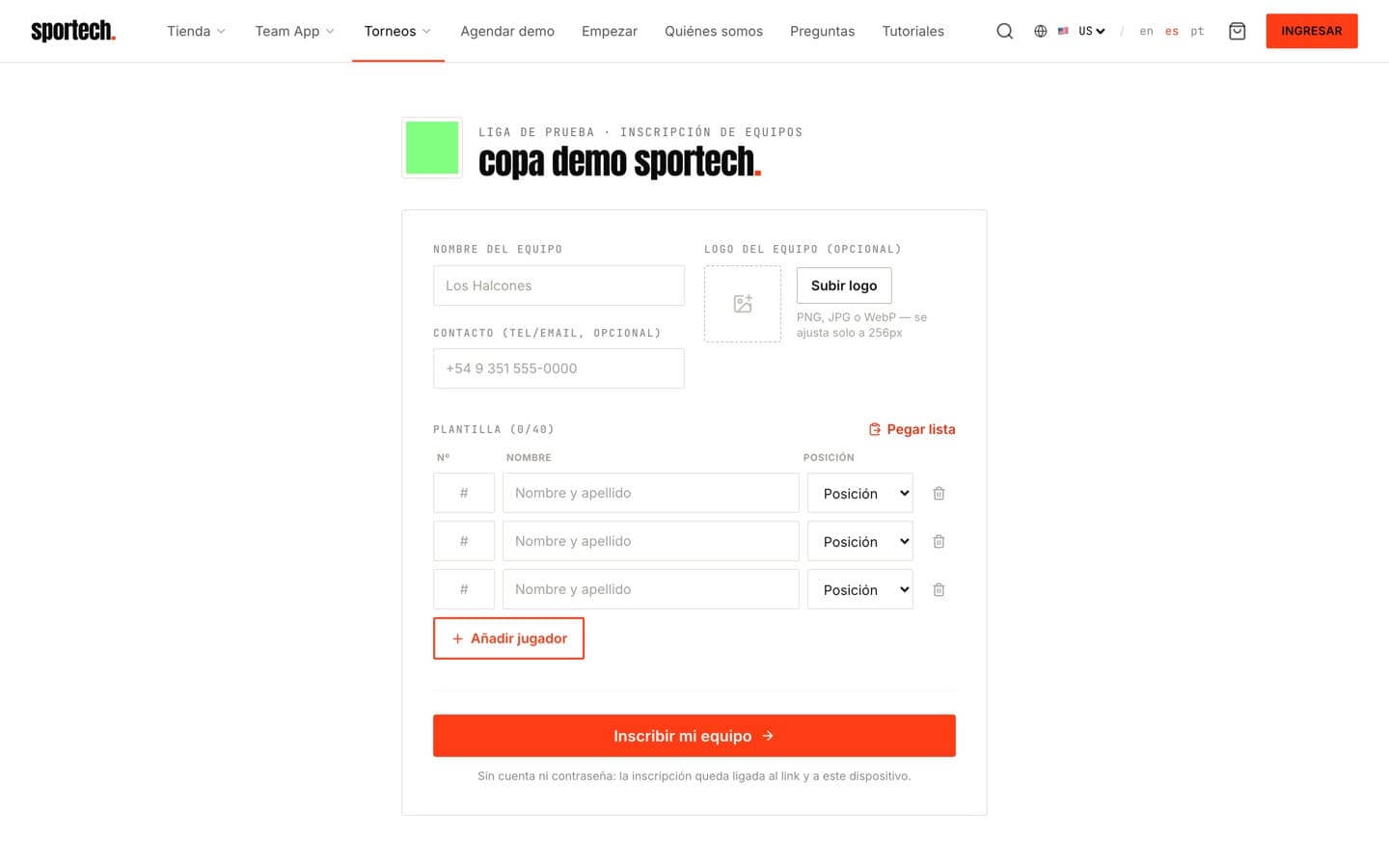
Got a registration link? This is how you enter your team, with no account and no password.
- 1
Open the organizer's link
It's unique per tournament. Open it on your phone or computer: the form loads with the tournament's name.
- 2
Set your team identity
Team name, crest (the image adjusts itself) and an optional contact so the organizer can reach you.
- 3
Load your roster
Player by player with number (1–99) and position, or use Paste list to bring the whole squad from WhatsApp in one go.
- 4
Register and keep your access
Hit Register my team. The entry stays tied to the link and that device so you can edit it later.
Tips
- → Last-minute changes? Open the same link from the same device and edit your roster.
Something failing? Link doesn't open the form? Ask the organizer to resend it complete: it carries a code after ?codigo=.
Explore tournaments