charge, switch on, record
What to know about the sensor before your first match: how to charge it, what the lights mean and where it goes in the vest.
- The sensor, vest and magnetic charging cable from your kit
- A USB phone charger or a computer
- An outdoor pitch: there's no GPS signal indoors
- 1
Charge it before first use
Bring the magnetic cable close to the sensor: it snaps on by itself. The light turns red while charging and green when done, in about 2 hours. Once fully charged it switches off on its own.
- 2
Switch it on outdoors
Hold the button for 1 second. Steady yellow: searching for satellites. Steady blue: GPS locked. If it hasn't been used for days, switch it on about 10 minutes before playing.
- 3
Put on the vest
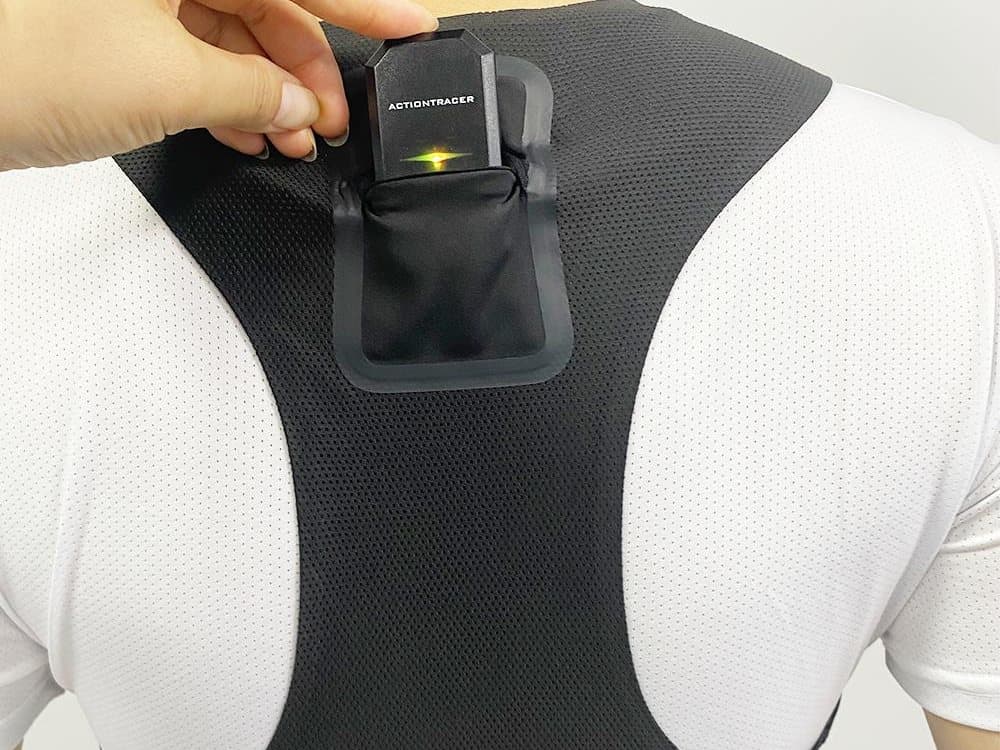
The sensor goes in the back pocket, between the shoulder blades. The vest should fit snugly so the sensor doesn't bounce when you run.
- 4
Start recording
Press the button once: the light starts blinking. Blinking blue: recording with signal. Blinking yellow: recording, still without signal; wait in the open.
- 5
Stop recording when you finish
Press the button once to close the session. The recording stays saved on the sensor even if it switches off or runs out of battery.
- 6
Switch off and download
Hold the button for 5 seconds to switch it off. Then download the session with the Onyx Track app or, if you're a coach, with the Team Hub.
- → The lights in short: yellow = no signal, blue = signal, blinking = recording, red when switching on = low battery.
- → Download your sessions often: the sensor's memory is limited and the oldest recordings get overwritten.
- → Always wash the vest without the sensor. trackPRO handles rain (IP67); track is not submersible.
Something failing? Won't switch on? Charge it for at least 30 minutes: with a very low battery it won't turn on, but it keeps what it recorded. No signal? Move away from buildings and roofs and wait a few minutes with the yellow light.
Continue with the app